1.2.0
, the latest
Formatted notes and auto-scroll
The biggest update yet: notes format as you type, and they can scroll by themselves.
- New
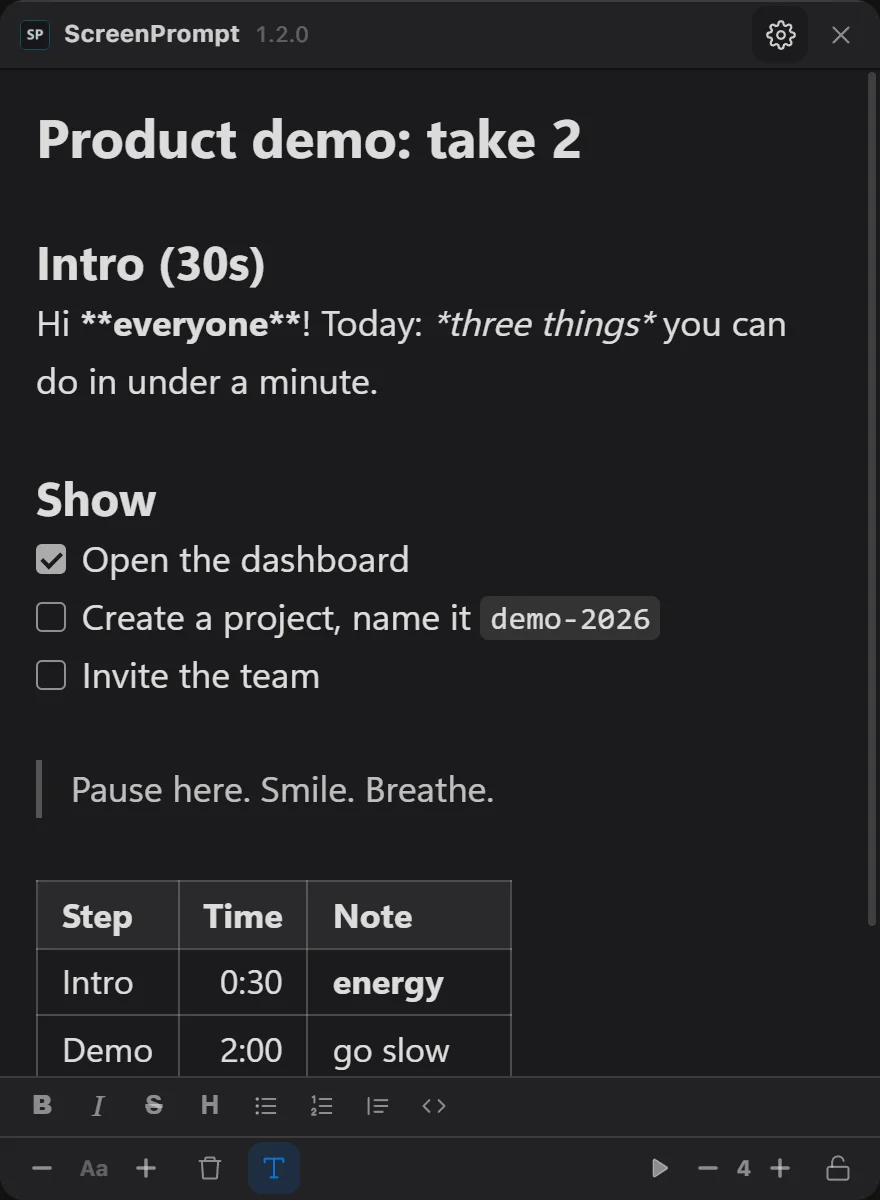
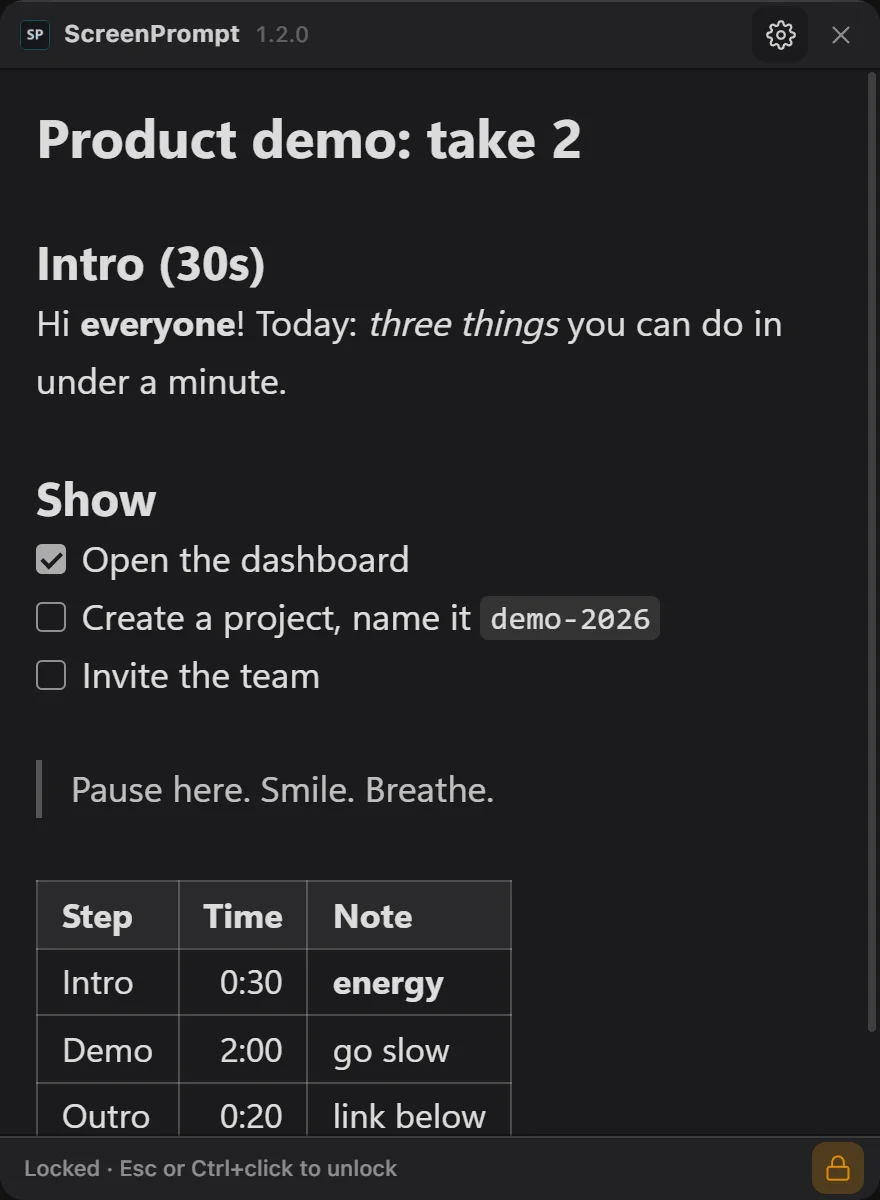
Formatted notes. Paste or write Markdown and it formats as you type: headings, bold, italic, strikethrough, code, quotes, lists, task checkboxes, links and tables. The markers only show on the line you are editing. Ctrl+B, Ctrl+I and the T button format text, and Ctrl+click opens a link. You can turn it off in Settings.#40#50
- New
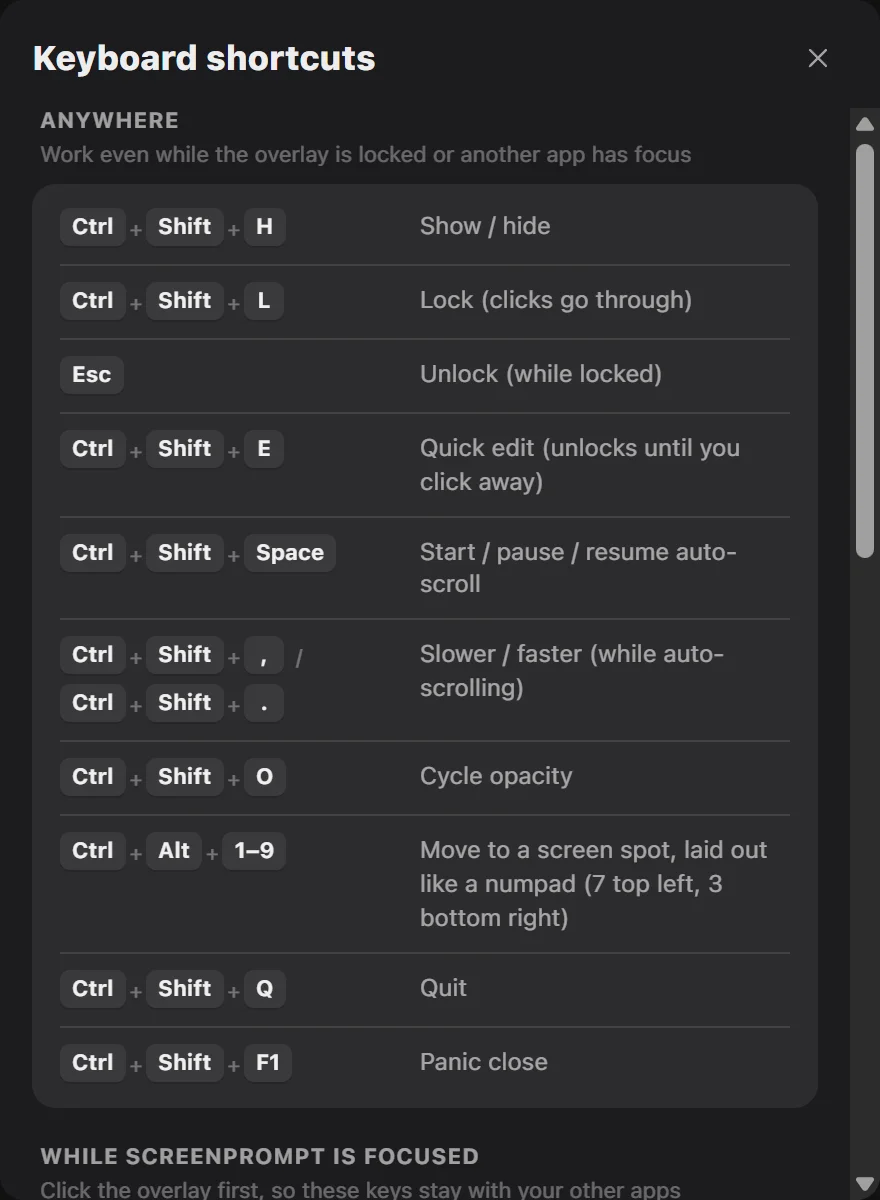
Auto-scroll. Ctrl+Shift+Space (or ▶ in the bottom bar) scrolls your notes by themselves, teleprompter style. Press it again to pause and resume. Ctrl+Shift+, and Ctrl+Shift+. change the speed.#50
- New
Undo for Clear and Paste-replace. Cleared or replaced your notes by accident? Undo, or Ctrl+Z, brings them back.#50
- New
Shortcut cheat sheet. Press F1, or open Settings > Shortcuts, to see every keyboard shortcut.#50
- Improved
Version in the title bar. It also shows whether you are up to date or a new version is available.#50
- Improved
One-click updates, and a download a third smaller. Updating from 1.1.3 shows the installer one last time.#48
- Fixed
Pasting an empty clipboard no longer wipes your notes.#50